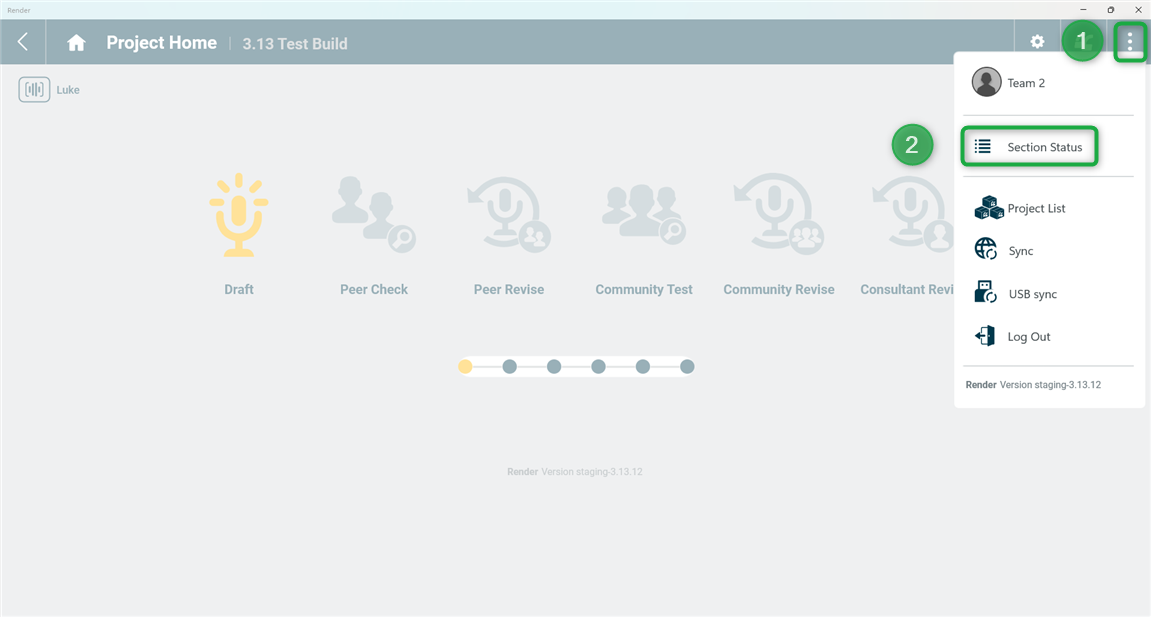
You can open the Section Status page by (1) tapping the 3-dot User Menu and then (2) tapping 'Section Status':
Scope Select
The Section Status page will only display sections for the chosen scope. In the picture below, "Luke" is the currently displayed scope. If your project has other scopes and you want to see the status of sections in a different scope, click/tap the Scope Select button and then click/tap the scope of interest. Render will then load the sections from that scope for you to see.
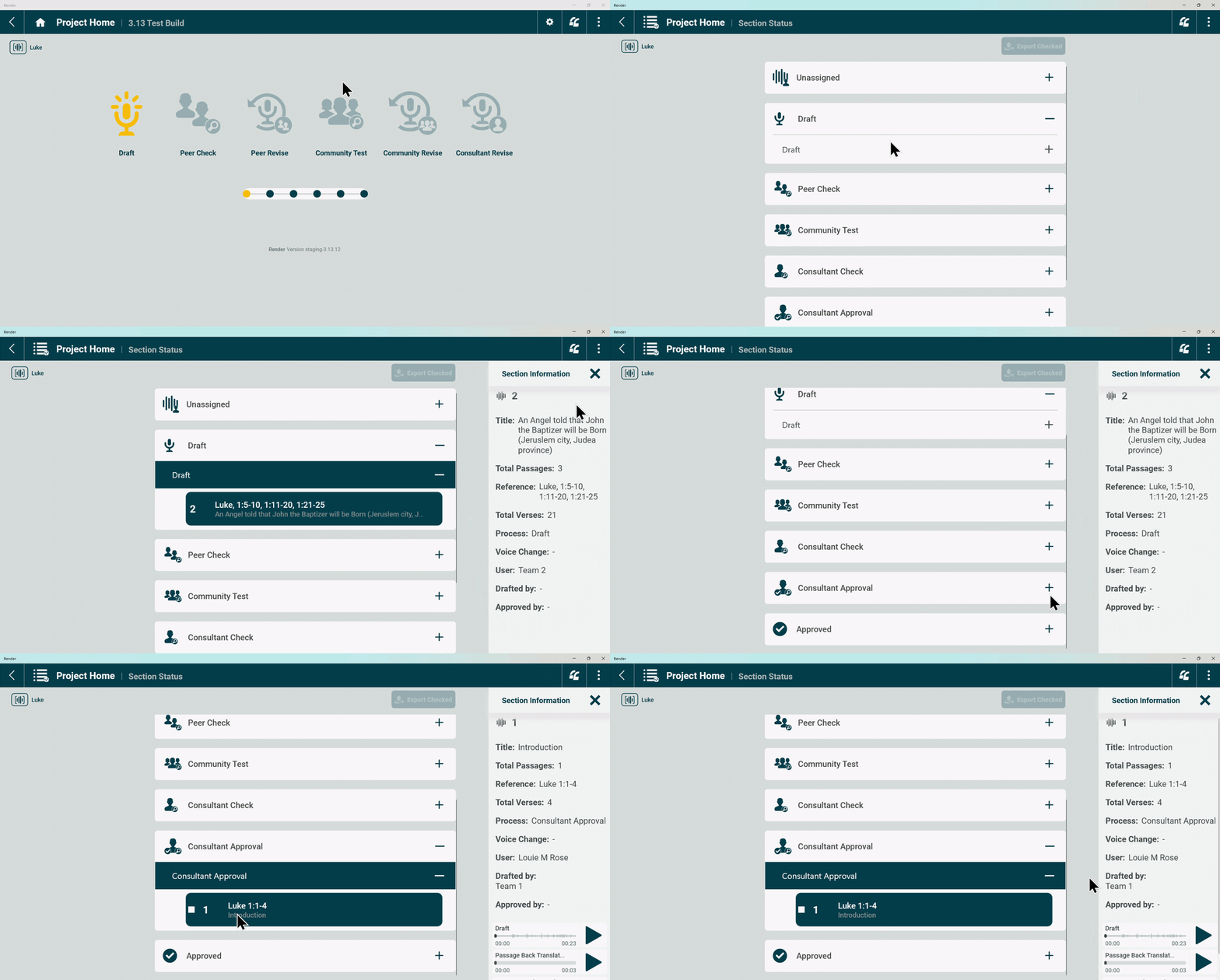
Navigate to the workflow stage or sub-stage of interest using the + and - symbols as shown below. Tap on a Section to see more information about it in the right side of the screen.
Section Status Information:
- Title
- Total Passages
- References
- Total Verses
- Process: This is the workflow stage or sub-stage
- User: This is the username of the user that currently has the section in their role for work
- Drafted by: This identifies the translation team which drafted the section
- Approved by: This identifies the user that Approved the section.
- Audio files: Draft and Back Translation audio files are available for listening.
Was this article helpful?
That’s Great!
Thank you for your feedback
Sorry! We couldn't be helpful
Thank you for your feedback
Feedback sent
We appreciate your effort and will try to fix the article