With Render 3.12 it is now possible to add Supplemental Materials (SM) to a project scope. These materials are intended to assist the translation teams during their internalization of each passage. Because of this, the SM icon (when enabled) appears in the Section Listen, Passage Listen, and Drafting screens.
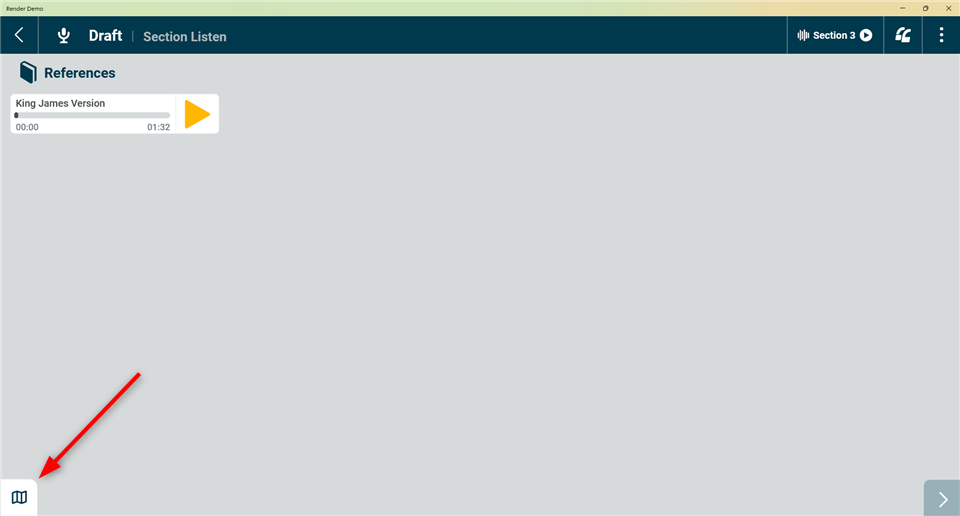
Supplemental Materials icon location
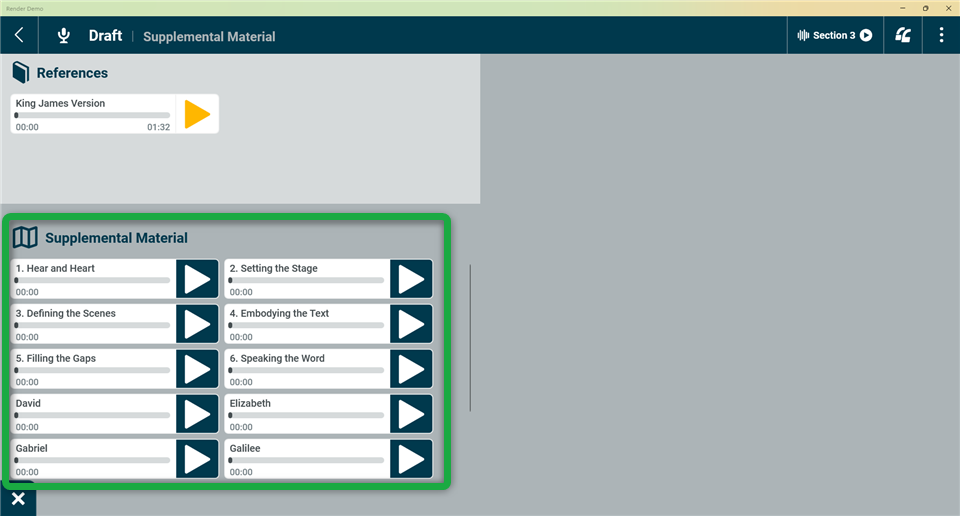
Appearance of Supplemental Materials
How to Enable Supplemental Materials for a Project Scope
Contact the OBT Department at Faith Comes By Hearing (FCBH) to inquire about adding Supplemental Materials to a scope within a project. Send an email to renderrequests@fcbhmail.org
Currently (November 2025) only audio files may be loaded into the SM section of a scope. Once you have identified the audio files of choice (for example the audio FIA (Familiarization, Internalization, Articulation) resources) your FCBH Project Coordinator will arrange to have them loaded into the Launchpad for deployment to your project.
Once deployed, the field team can receive the SM materials by performing an “Add Project by ID” operation on each project computer.
Was this article helpful?
That’s Great!
Thank you for your feedback
Sorry! We couldn't be helpful
Thank you for your feedback
Feedback sent
We appreciate your effort and will try to fix the article